Online Film Editing Courses: A Guide to Skills, Formats, and Choosing the Right Training
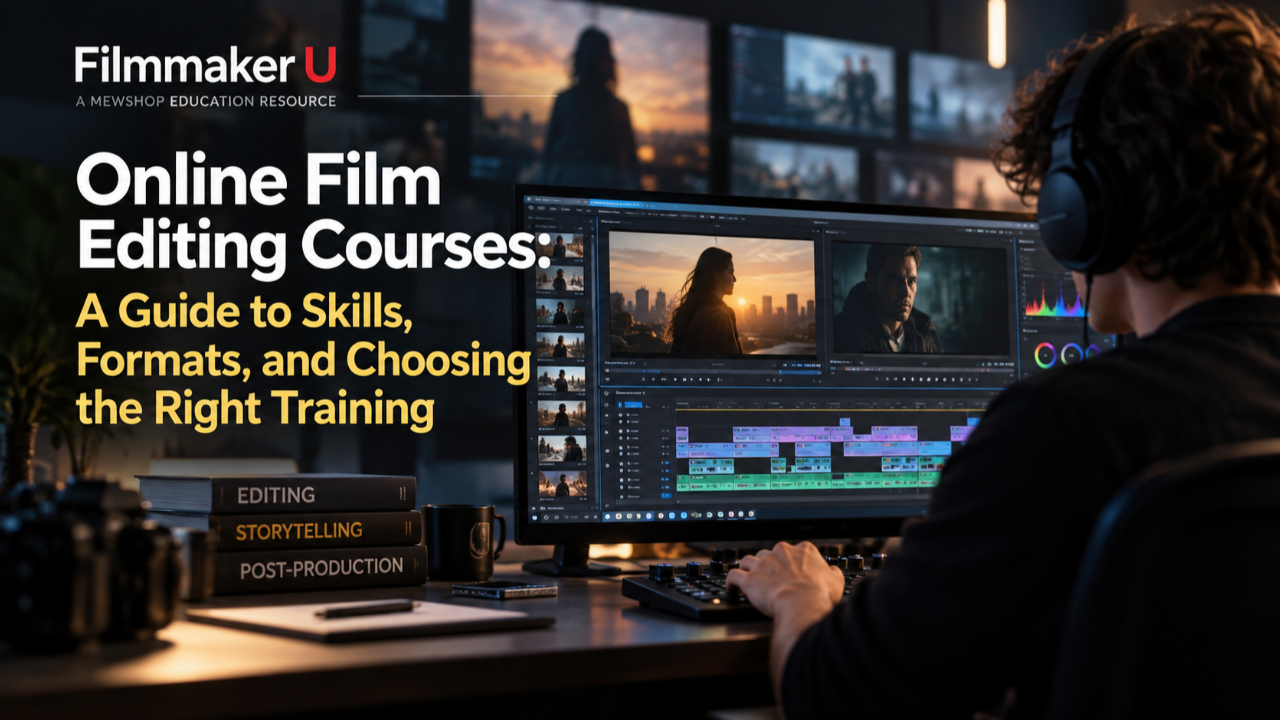
Online film editing courses can teach both the creative judgment and technical workflows needed to turn footage into a compelling story. The right choice depends on your experience, the work you want to make, and how much guided practice you need—not simply which software appears in the syllabus.
For aspiring filmmakers, students, educators, content creators, and working professionals, the most useful training connects editing decisions to their effect on an audience. This guide explains what to learn, how course formats differ, and how to evaluate a program before enrolling.
What Should an Online Film Editing Course Teach?
Editing is more than assembling clips. It involves controlling information, shaping performances, creating rhythm, and collaborating throughout post-production. A strong curriculum makes those decisions visible and gives you opportunities to practice them.
Story, Performance, and Pacing
Look for lessons that explain why an editor chooses a particular take, reaction, or transition. Useful topics include:
- Building scenes around character objectives and turning points.
- Selecting performances that feel emotionally consistent.
- Managing screen direction, eyelines, and continuity.
- Using shot duration to create tension, clarity, or release.
- Restructuring material without confusing the viewer.
An instructor should demonstrate alternatives, not just present a finished sequence. Seeing how two versions of the same scene change its meaning is often more instructive than watching a polished cut once.
Software and Project Organization
Technical instruction should cover importing footage, organizing bins, working with timelines, and exporting reliably. Depending on your goals, you may study Adobe Premiere Pro, Avid Media Composer, DaVinci Resolve, or Final Cut Pro.
Choose software based on your likely collaborators, available hardware, and project requirements. No single application is the right starting point for everyone.
Beyond interface basics, look for media management, project naming, backups, proxies, and version control. These habits make revisions easier and reduce avoidable problems when projects move between people or systems.
Sound, Color, and Delivery
Editors do not always finish every element themselves, but they need to understand how picture editing connects to sound and color.
Useful foundations include dialogue editing, room tone, temporary music, basic color correction, and export settings. More advanced training may address turnovers, relinking media, captions, and delivery specifications. Check whether these subjects receive meaningful instruction or only a brief mention.
Compare Learning Formats Before Comparing Prices
Online film editing courses vary considerably in how they deliver instruction and support. Format affects how consistently you practice and whether anyone helps you identify weaknesses.
Self-Paced Courses
Recorded lessons offer flexibility for students balancing school, production schedules, or client work. You can revisit a demonstration while applying it to your own timeline.
The trade-off is accountability. Before enrolling, check access duration, exercise materials, and whether questions receive instructor responses. A video library can be valuable, but it is not automatically a guided learning experience.
Live Classes and Cohort Programs
Scheduled sessions create deadlines and opportunities for discussion. Cohort learning can also expose you to different interpretations of the same footage.
Check time zones, attendance expectations, class size, and recording availability. Confirm whether critiques address each student's work or only selected examples. “Live” does not necessarily mean substantial individual feedback. Live online or in-person classes are available at Manhattan Edit Workshop located in New York City.
Workshops and Mentorship
A focused workshop can help with a specific challenge, such as documentary structure or dialogue editing. Mentorship may suit experienced editors seeking detailed feedback on judgment, workflow, or portfolio direction.
These formats work best when you arrive with a clear question. Define the problem you want to solve before paying for concentrated access to an instructor. Manhattan Edit Workshop's signature Six Week Intensive Workshop combines application learning, film education, guidance, and mentorship all in one class. Learn more here.
Match the Training to Your Starting Point
Choose for your next skill gap, not an impressive course label. A demanding syllabus offers little value if it assumes knowledge you have not yet developed.
- Beginners: Prioritize software fundamentals, supplied footage, clear exercises, and complete short projects.
- Film students: Look for deeper work on performance, narrative structure, and revisions that complement existing coursework.
- Educators: Assess teaching clarity, accessibility, assignment design, and licensing terms before considering classroom use.
- Content creators: Seek instruction in hooks, pacing, dialogue clarity, and adapting edits for different platforms without sacrificing coherence.
- Working professionals: Target gaps such as collaborative workflows, long-form structure, turnovers, or an unfamiliar editing system.
For example, an editor comfortable with short social videos may need sustained scene-building practice more than another effects tutorial. A narrative filmmaker moving into documentary may benefit from organizing interviews and finding structure without a fixed script.
How to Evaluate Course Quality
A detailed syllabus should tell you what you will actually do—not merely list broad topics such as “cinematic storytelling.”
Before enrolling, ask:
- What will I edit? Look for footage, audio, project files, and assignments that match your goals.
- Who teaches the course? Review relevant work and a sample lesson. Professional experience matters, but so does the ability to explain decisions.
- What feedback is included? Distinguish instructor critique from peer comments or automated completion checks.
- How are revisions handled? Editing improves through reworking material, not simply submitting it once.
- What are the prerequisites? Confirm required software, versions, hardware, storage, and prior knowledge.
- Can I show the finished exercises? Supplied footage may have restrictions on public posting or portfolio use.
- What are the access and purchase terms? Check deadlines, refund policies, and whether materials remain available afterward.
Specific student reviews can provide useful context, particularly when they describe assignments and feedback. Treat broad promises of professional success cautiously. A certificate documents participation or completion; it does not replace evidence of editing ability.
Budget for the Full Learning Experience
Tuition is only part of the cost. You may also need software, external storage, headphones, or a computer capable of handling the provided footage. Proxy workflows can reduce playback demands, but they do not eliminate storage or compatibility considerations.
Budget time as carefully as money. A short lesson may require a much longer practice session, especially when you explore alternate cuts.
Compare value through the combination of relevant instruction, usable materials, and meaningful feedback. An inexpensive course you complete thoughtfully may serve you better than a larger program you cannot fit into your schedule.
Turn Lessons Into Editing Skill
Build a repeatable learning cycle: watch, edit, review, revise.
After a lesson, apply one principle to a short sequence. Export it and watch away from the timeline. Note where attention drifts, dialogue feels rushed, or a character's intention becomes unclear.
Create an alternate version before seeking feedback. Ask focused questions such as, “Does this reaction reveal too much too early?” Keep a revision log describing what changed and why. This makes progress tangible and helps you discuss creative choices with collaborators.
Frequently Asked Questions
Can I Learn Film Editing Entirely Online?
You can learn substantial technical and creative skills online, especially with practice footage and critique. Collaborative projects add experience with communication, deadlines, and handoffs that lessons alone may not provide.
Do I Need Expensive Software to Begin?
Not necessarily. Free software options, including a free version of DaVinci Resolve, can support early learning. Check your system requirements and whether a course uses features that require a paid edition.
Will a Course Help Me Build a Portfolio?
It can, if assignments produce relevant work and usage permissions allow public sharing. Confirm those rights first, then select pieces that demonstrate storytelling decisions rather than only transitions or effects.
The best online film editing courses combine relevant skills, a workable learning format, and opportunities to practice and revise. Start by identifying one skill gap and comparing courses against it. Contact us at Filmmaker U to learn more about our organization.
